Docs
Using the map
The map draws the repository in isometric 3D: applications, folders, files and symbols nested inside each other, each sized by its code.
Zoom levels
A container opens when it is large enough on screen, and its children load on demand. The status bar names the level you are at: Applications → Directories & modules → Files → Symbols → Source. Labels change with the level: an application shows its framework, a folder its files and lines, a file its language and symbols, a symbol its signature. At the deepest level a selected file or symbol draws its source on its own face.
Routes and endpoints are drawn in a Routes & endpoints district inside their application, commands and scheduled tasks in a Console district, and tables in a Databasedistrict.
The layout comes from the server and is deterministic. Selecting, searching or filtering never moves anything, and new files take new slots instead of pushing the others around.
The inspector and evidence
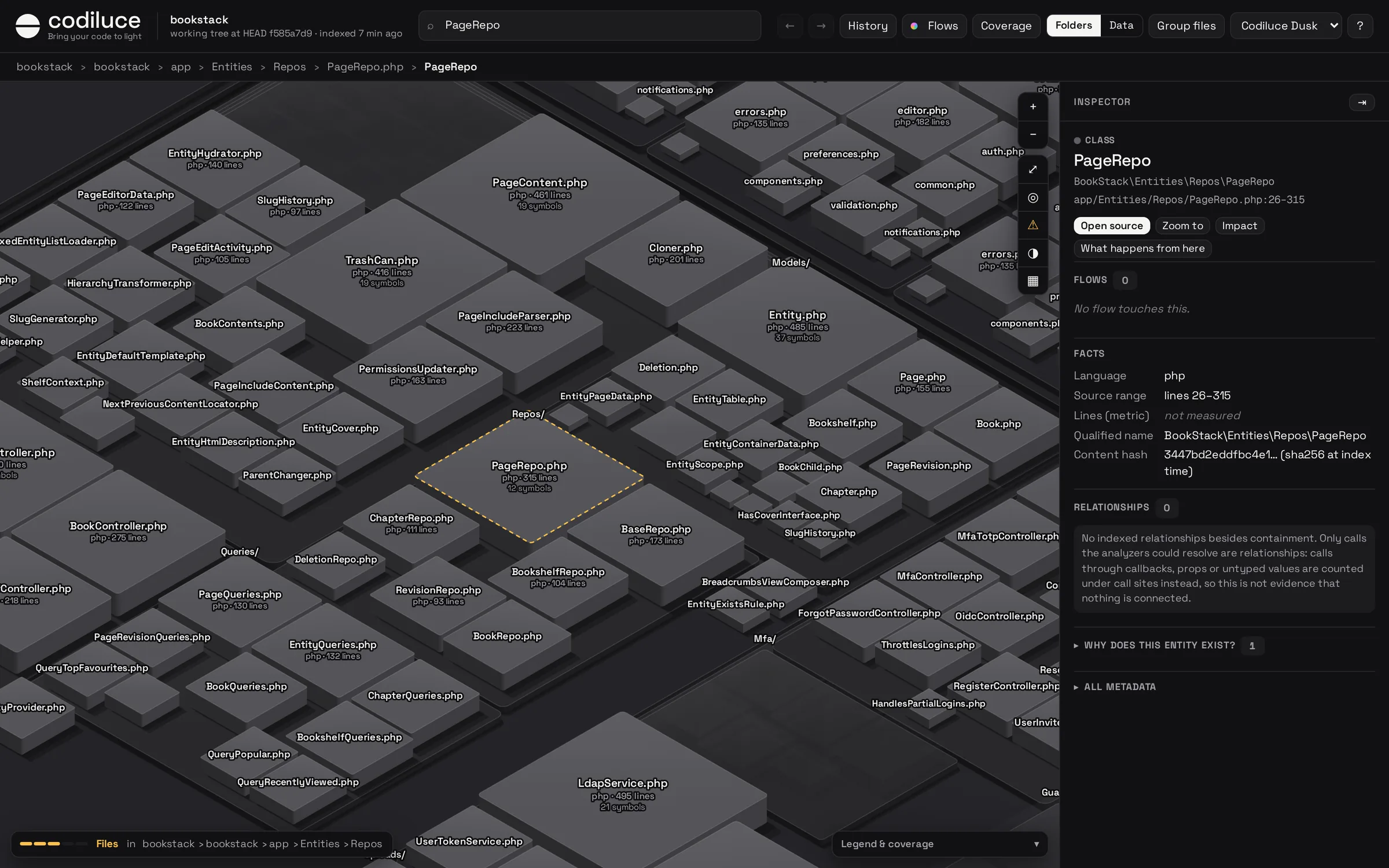
Select anything to see its type, canonical path, source range and metrics. Incoming and outgoing relationships are drawn as arcs and listed with filters. Every relationship has Why?: the analyzer and version, the file and line, and an explanation. It opens the source with the evidence lines highlighted.
A symbol also lists its effects (database reads and writes, responses with their HTTP status, network, storage, navigation, queue, mail, events) and its call sites: how many were linked, how many belong to the framework or packages, and which stayed unresolved and why.
What the analyzers cannot prove is never guessed. It stays a finding, listed per entity and per area, and you can show findings as markers on the map.
Flows
Flows in the header is one list of every flow the index can follow, filtered by where it starts:
- Pages: a page of the interface, or an endpoint that serves one. Its flow is what it renders, the requests it makes and what they reach, down to the tables.
- Requests: one per endpoint, plus requests that no endpoint answers, with their completeness: complete, partial, no caller or unmatched.
- Console: commands, with what runs them, and scheduled tasks with their cadence.
Choose a flow and it plays on the map: what it touches stays lit, the rest dims, and a pulse runs along its links branch by branch, in waves. Lanes shows the same flow as a diagram, left to right, with conditions and evidence on every step. The inspector of any file or folder lists the flows that touch it.
Coverage
Coverage colors every file by what the flows say about it: entry point, in flows, supports flows, possibly reached, not reached (candidate dead code), tests and tooling, configuration, and files in languages whose calls are not analyzed yet. A file’s inspector says why it is where it is.
Blast radius and steps
Impact on any entity or area walks what depends on it, hop by hop, over calls, renders, references, handlers, routes, requests and inheritance. The map tints what it reaches by distance; the inspector lists the endpoints, pages and applications reached, each with the chain that reaches it. The result is a lower bound and says so: it tells you which unresolved calls might reach further.
What happens from here opens the Steps of a page, endpoint, component or function: the triggers it binds, the actions with effects, the endpoints it reaches, the handlers they run, and every way a handler answers, with the conditions read from the source.
Data families and the Data view
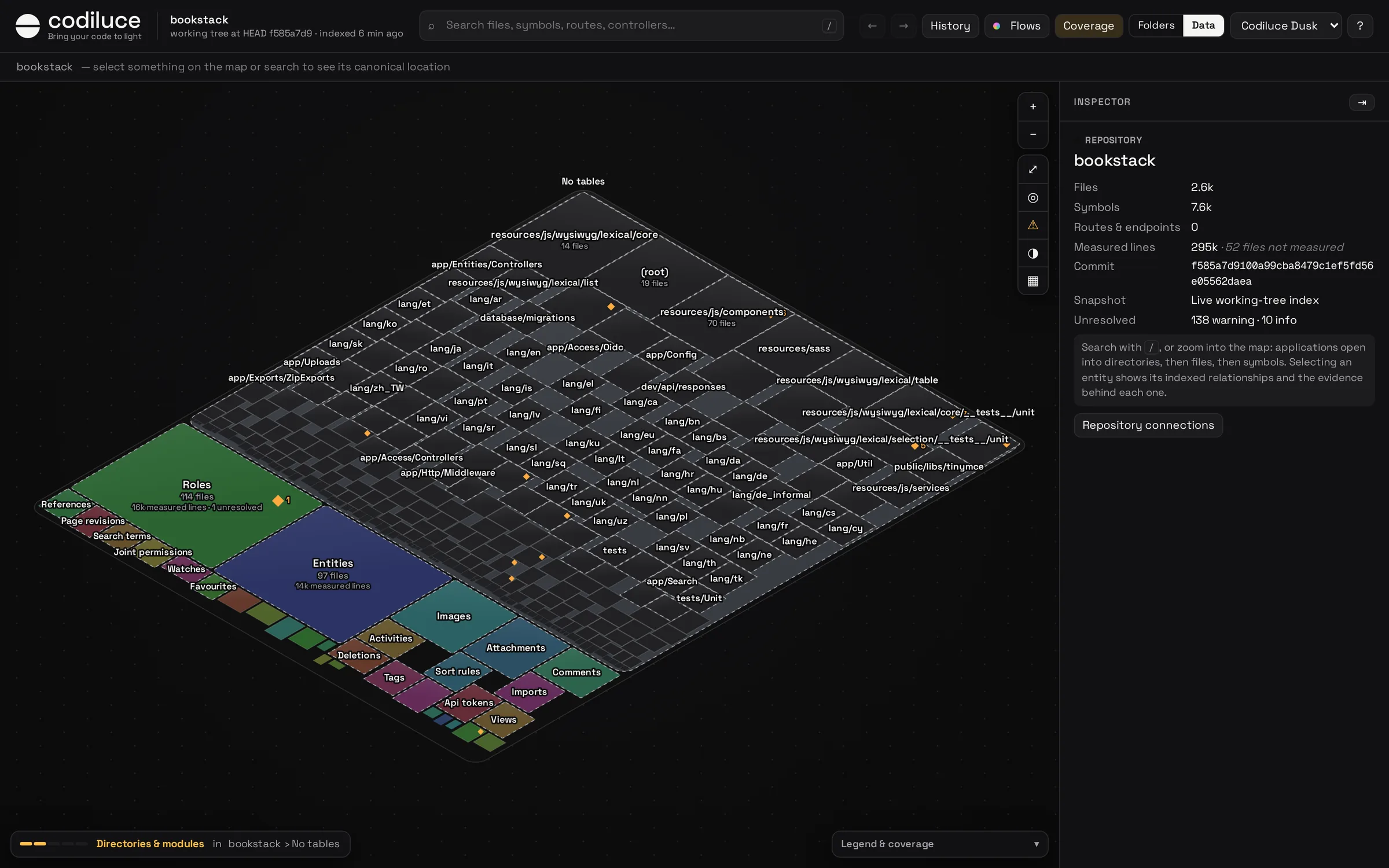
Without any language model, tables group into data families: tables joined by foreign keys, tables named after another, and tables that share a prefix. A table that many others reference, such as users, is a hub of its own. Files take the family of the tables they map, migrate, read or write.
- ▦ in the map controls colors files, endpoints, commands and tables by family.
- The inspector of a folder shows Data in this folder: its files per family. Select one to light its files on the map.
- Data, beside Folders, arranges the whole map by family.
Descriptions and the Features view
Optionally, a language model can describe files, folders, flows, domains and commits. Descriptions are written in ASD-STE100 Simplified Technical English, scored against its rules, and kept apart from the indexed facts. They add a Features view: the code arranged by product domain instead of by folder.
# an OpenAI key in the Codiluce workspace or the state directory, never read from your repositoryecho "OPENAI_API_KEY=…" >> .codiluce/.env# estimate the cost first, with one real request per tasknpx codiluce annotate --estimate --pilot# then run it, with a spending cap in US dollarsnpx codiluce annotate --max-cost 10
annotate always estimates first and does not run when the estimate exceeds --max-cost. It sends paths, names and short excerpts of the source (about 3 KB per file) to the OpenAI API. Nothing else ever leaves your machine. Only what changed is described again on later runs.
Themes and keyboard
Pick a theme in the header: Codiluce Dusk and Dawn, Midnight, Paper, Sorbet and others. Useful keys:/ search, F fit, Alt + ← / → back and forward, double-click to zoom into an area. Links carry the view (#id=…), so you can share an exact place. History has its own keys: see History.