Docs
Getting started
Codiluce reads a repository, builds an evidenced graph of it and opens an interactive map in your browser. Everything runs on your machine.
Requirements
- Node.js 22.12 or newer, and npm. Codiluce uses Node’s built-in SQLite. On versions that need a startup flag for it, Codiluce adds the flag for you.
- Git is optional. Without it you get the map, but no Git metrics and no history.
- You do not need to install the dependencies of the repository you map. Codiluce never runs its code.
Map a repository
Go to the repository you want to see and start Codiluce:
cd /path/to/my-repositorynpx codiluce@latest start .
This detects the applications in the repository, indexes them, starts a local server and opens the map. It tries port 4300 first and takes another one if that port is busy. Press Ctrl + C to stop.
The npm package includes the compiled CLI and a prebuilt map, so the first run needs no build step. Omit the . to scan the current directory, or give the path of another local directory. Remote URLs are not supported: clone the repository first.
Install it instead
For a command that is always available, install Codiluce globally:
npm install --global codilucecodiluce start /path/to/my-repository
For a fixed version in a Node project, add it as a development dependency and commit the lockfile:
npm install --save-dev codilucenpx codiluce start .
Useful options
# keep the analysis outside the repository, and open the browser yourselfnpx codiluce start . --state-dir ~/.codiluce/my-repo --no-open# choose a port (0 asks the system for a free one)npx codiluce start . --port 4400# let the map index past commits when you ask for themnpx codiluce start . --history-indexing
Run npx codiluce --help for every command, and see CLI & API for the details.
Where the analysis goes
Codiluce keeps its state in <repository>/.codiluce/: the configuration, the graph (codiluce.db), an analysis cache and the layout of the map. Add .codiluce/ to the repository’s .gitignore: the state holds file paths, symbols and routes of your code.
The next start reuses the configuration and the cache. An application whose files did not change is replayed from the cache instead of analyzed again, so a re-index of an unchanged repository takes a few seconds.
Your first look
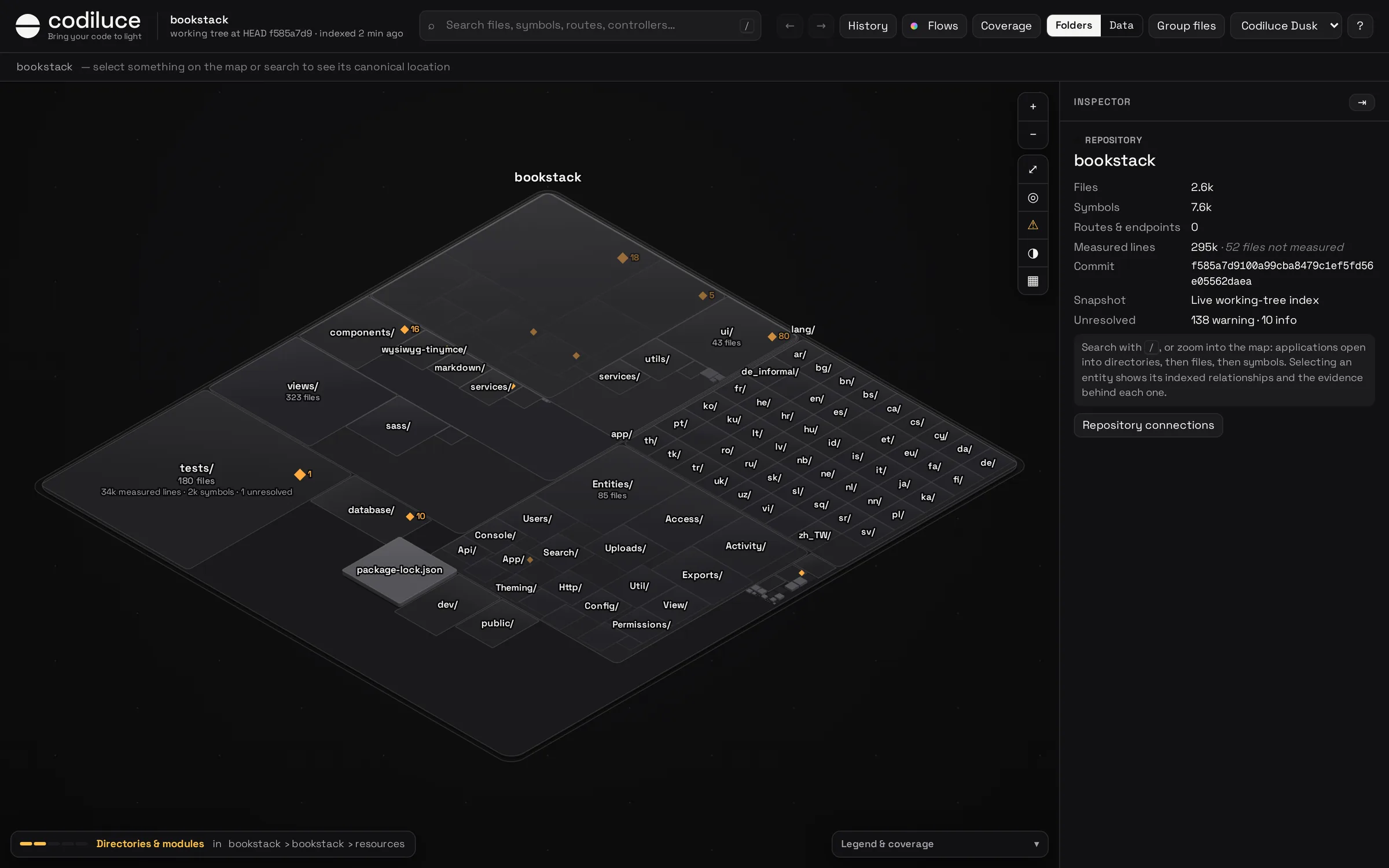
- Zoom with the wheel, a pinch or + / −; drag or use the arrow keys to pan; F fits the view.
- Search with /: files, symbols, routes, endpoints, controllers, tables. Choose a result and the map flies there.
- Select anything to see its relationships drawn on the map and its facts in the inspector. Why? on a relationship opens its evidence.
- Open Flows, History or Coverage from the header.
The next page explains the map in detail.
How deep does it go? It depends on the stack. TypeScript and JavaScript are analyzed down to calls and requests in any application, and supported frameworks down to routes, commands and tables. Every other ecosystem is detected and mapped with its files, languages, lines and Git metrics. See Configuration.